
Google Play Store PC
Google Play is Google's digital distribution platform. On Windows, Google offers Play content through the browser and Google Play Games on PC.
52.9 MB

Folder Lock is a Windows program from Newsoftwares.net that locks folders with a password, encrypts files in secure lockers and shreds deleted data.
Average 0.0 · ratings: 0
Thank you! Your rating is saved; you can change it. Could not save the rating. Please try again later. Too many ratings from your network today. Please try again tomorrow. The average appears after 5 ratings.
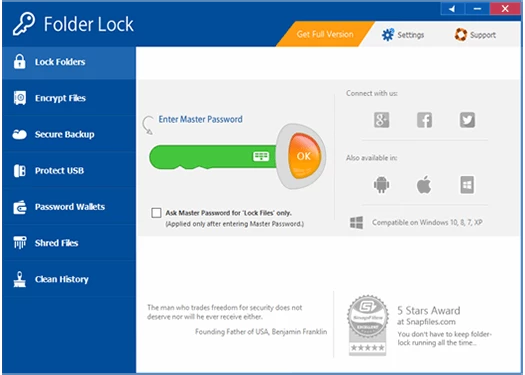
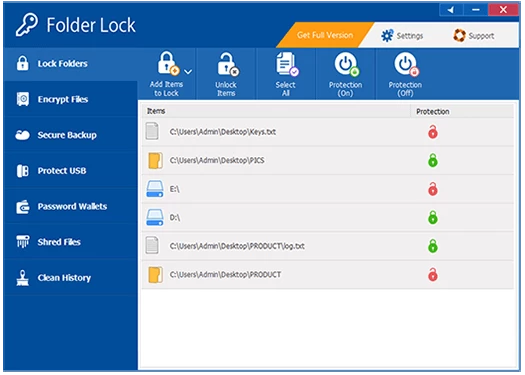
Folder Lock 10.1.14 is a file protection program for Windows from Newsoftwares.net. You download Folder Lock to hide and password-protect private folders on a shared PC, or to keep sensitive documents in encrypted lockers that stay unreadable even if the laptop is stolen.
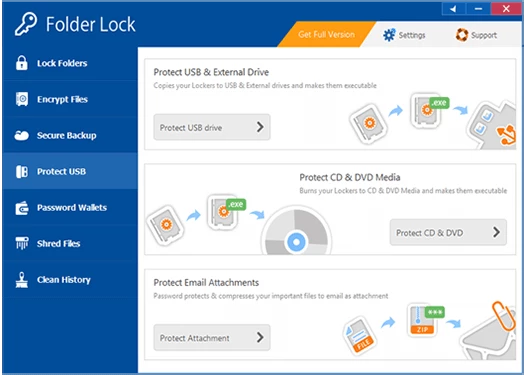
Folder Lock combines two kinds of protection. Locking hides a folder and blocks access to it until you enter the master password; this is quick and convenient on a family computer, but it is not encryption, so the data itself is unchanged. For stronger protection, the program creates lockers: encrypted containers that open as a drive when you unlock them and become unreadable files when closed. Everything you put in a locker is encrypted on the fly. Beyond that, Folder Lock can shred files and wipe free space so deleted data cannot be recovered, protect USB drives and CDs with portable lockers, keep wallets for card numbers and other personal notes, and back up lockers to its own cloud service. A stealth mode hides the program itself, and a hacker-attempt monitor records failed password tries. The what's new page lists changes in each version.
A Windows PC with enough free disk space for the lockers you create. Portable lockers need a USB drive or other removable media.
Use lockers, not simple locking, for truly confidential data. Keep backups of important lockers, because a forgotten password or a damaged container can mean losing everything inside. Download only from the official site; cracked versions of security software defeat the whole purpose.
Create separate lockers for different kinds of data, for example work documents and personal scans, so you only open what you need. Close lockers before putting the PC to sleep, and check that your backup copies of lockers open correctly from time to time.
The trial lets you test the program with limits; the full version is a paid licence. Current prices are on the developer's site.
For password storage, RoboForm on our site is a dedicated manager. For file management with built-in archive encryption, Total Commander is another option.
Google Play is Google's digital distribution platform. On Windows, Google offers Play content through the browser and Google Play Games on PC.
Media Creation Tool is a free Microsoft utility that downloads Windows and turns it into a bootable USB flash drive or an ISO file.

LDPlayer is an Android emulator for Windows that runs mobile apps and games on a computer.

BlueStacks is an Android emulator for Windows that lets you run Android apps and games on your PC.
Rufus is a free Windows utility that turns a USB stick into a bootable installer. The current version is 4.15.

PC App Store is a free software store for Windows from Baidu for finding, installing and updating PC programs. This page covers version 5.0.1.8682.

Uptodown App Store for Windows is the desktop client of Uptodown, a marketplace for desktop software and mobile apps. This page covers version 1.0.3.
NoxPlayer is a free Android emulator from Bignox for Windows and macOS that runs mobile games and apps on a computer with keyboard and mouse control.